November 6, 2026
|
7
minute read
What's new: Lexi beta release (Segments, Skills, Dashboards, Memory, Knowledge base)




October and early November brought a run of new features to Lexi. You can now describe an audience and have Lexi build it, run proven analyses with skills, and track results in dashboards. Lexi also remembers your role and goals between chats and answers using your business's own definitions. Many of these features came directly from requests by the retail teams in the Lexi beta.
Here's what's new, and how retail marketing teams are using it.
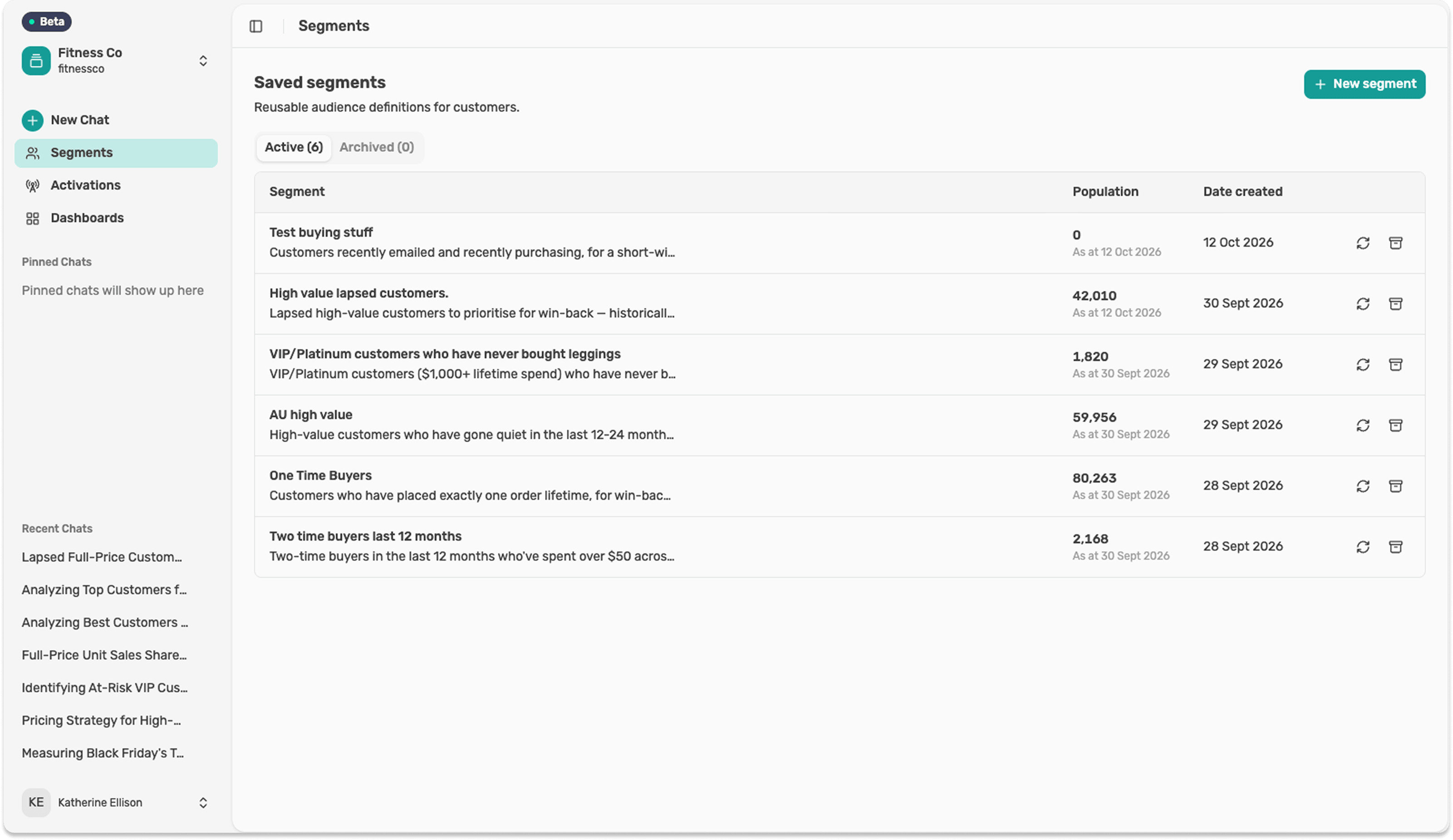
1. Build a segment by describing it
Type the audience you want in plain language and Lexi builds the segment. 'Customers who bought full price in the last 12 months but haven't bought since winter' becomes a segment you can size, refine and use, without a ticket to your analyst or a query builder.
You can check the logic, adjust it in the same conversation, and save it for later.
2. Skills for the questions you ask every week
Skills are proven routes to an answer, built and tested by Lexer. Instead of working out the steps each time, you ask your question and Lexi picks the right skill.
The first set covers Black Friday and Cyber Monday: planning your sale strategy, finding who needs a discount and who doesn't, and comparing performance with last year. If BFCM is on your mind, our BFCM margin playbook pairs well with them.
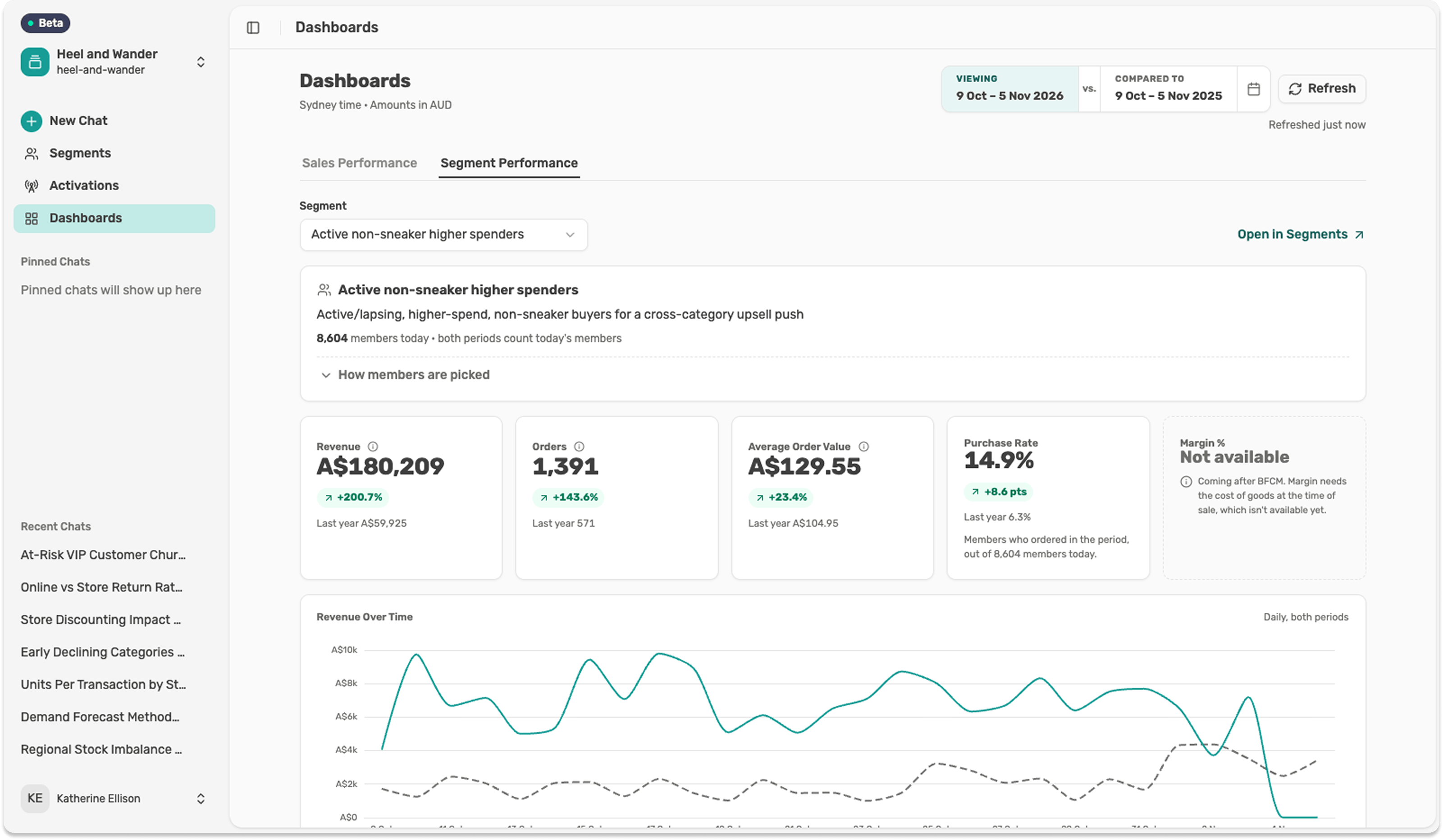
3. Dashboards for sales and segment performance
Charts and tables now live together in dashboards. Track sales and segment performance in one place, then export any chart as a CSV or an image for your next report or leadership update.
This one came straight from beta feedback. Teams wanted to see the numbers as charts and keep them somewhere they could find again.
4. Memory: Lexi remembers your role and goals
Tell Lexi once that you run CRM for an apparel brand and you're focused on second purchases this quarter, and it remembers. Each new chat picks up with that context, so you spend less time re-explaining and more time on the question.
5. A knowledge base for your definitions
Every business defines its customers a little differently. Your VIP might be the top 10% by 12-month spend. Your 'active' customer might be anyone who's ordered in the last year. Your EOFY sale might run for the whole of June.
Lexi learns your definitions. Our team sets them up with you, and every answer that uses a definition follows it. Change a definition and the answers change with it. You can see how this fits with the rest of Lexi on the Lexi page.
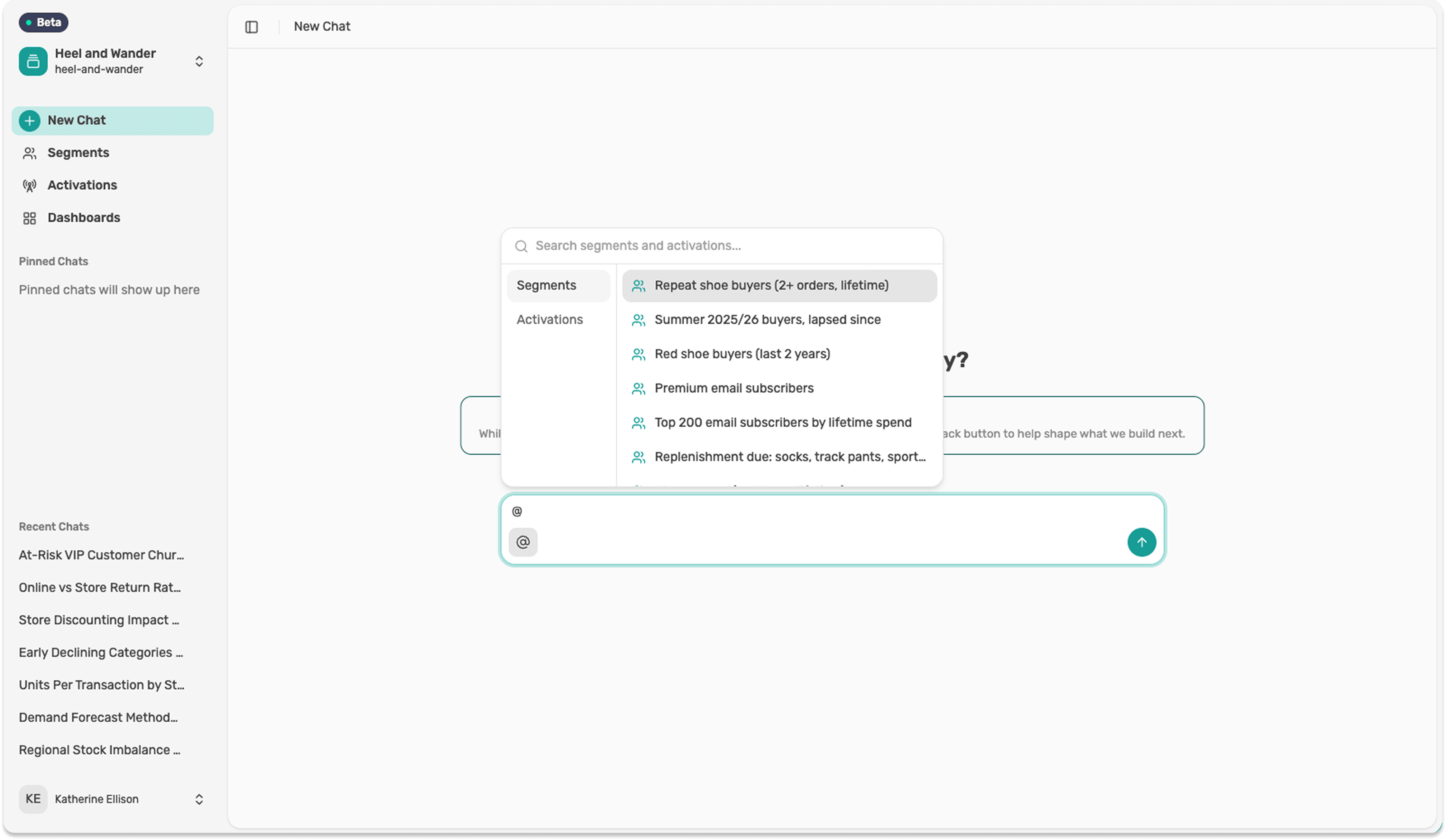
6. @ quick add for saved segments
Type @ in a chat to pull in a saved segment. Ask 'How did @lapsed-VIPs respond to the spring launch?' without rebuilding the audience or remembering its exact name.
7. Better identity resolution
Lexi now does a better job of matching the same customer across ecommerce, store, loyalty and email records. When one person shows up as three records, your 'one-time buyers' and 'lapsed customers' are overstated, and your win-back and VIP targeting suffer. Cleaner matching means those groups reflect real people.
One to try
If you're a Lexi user, try this before your BFCM planning wraps up:
'How big is our discount-seeking segment, what share of revenue does it bring in, and how does its margin compare with everyone else?'
Then ask Lexi to build that segment, and compare it with customers who only buy at full price. It's a quick way to see how much of your sale revenue would have come anyway. For more questions like this, browse the use case library.
Built with the beta
Much of this release started as a request from a beta user. Teams asked for charts instead of tables, and Dashboards followed. They asked for context to carry between chats, and Memory and the knowledge base followed. We'll keep sharing what's new as it ships.
Book a demo to see what Lexi can do with your customer data, from the first question to the segment you act on.
Keep reading
Related resources
More from the Lexer library on the same topics.